The new version of rmDATA Reality3D features a transparent display of point clouds (X-Ray). In addition, starting with this version, 2026.2, the future standard for flatness control is supported, there is manual modeling of steel beams in the 2D view, as well as expanded design options for piping and HVAC systems in Revit. Furthermore, your work is simplified by the new ability to duplicate workflows with all content.
New: Transparent point cloud display (X-Ray)
The new transparent point cloud display enables a view in which hidden structures are made visible (“X-Ray view”). This makes building structures immediately recognizable. Especially in 2D views, wall paths and openings (doors, windows, etc.) can be modeled quickly and reliably. At the same time, the new display offers clear advantages when working with complex steel structures and MEP models.
New: Support for the upcoming standard for flatness inspection
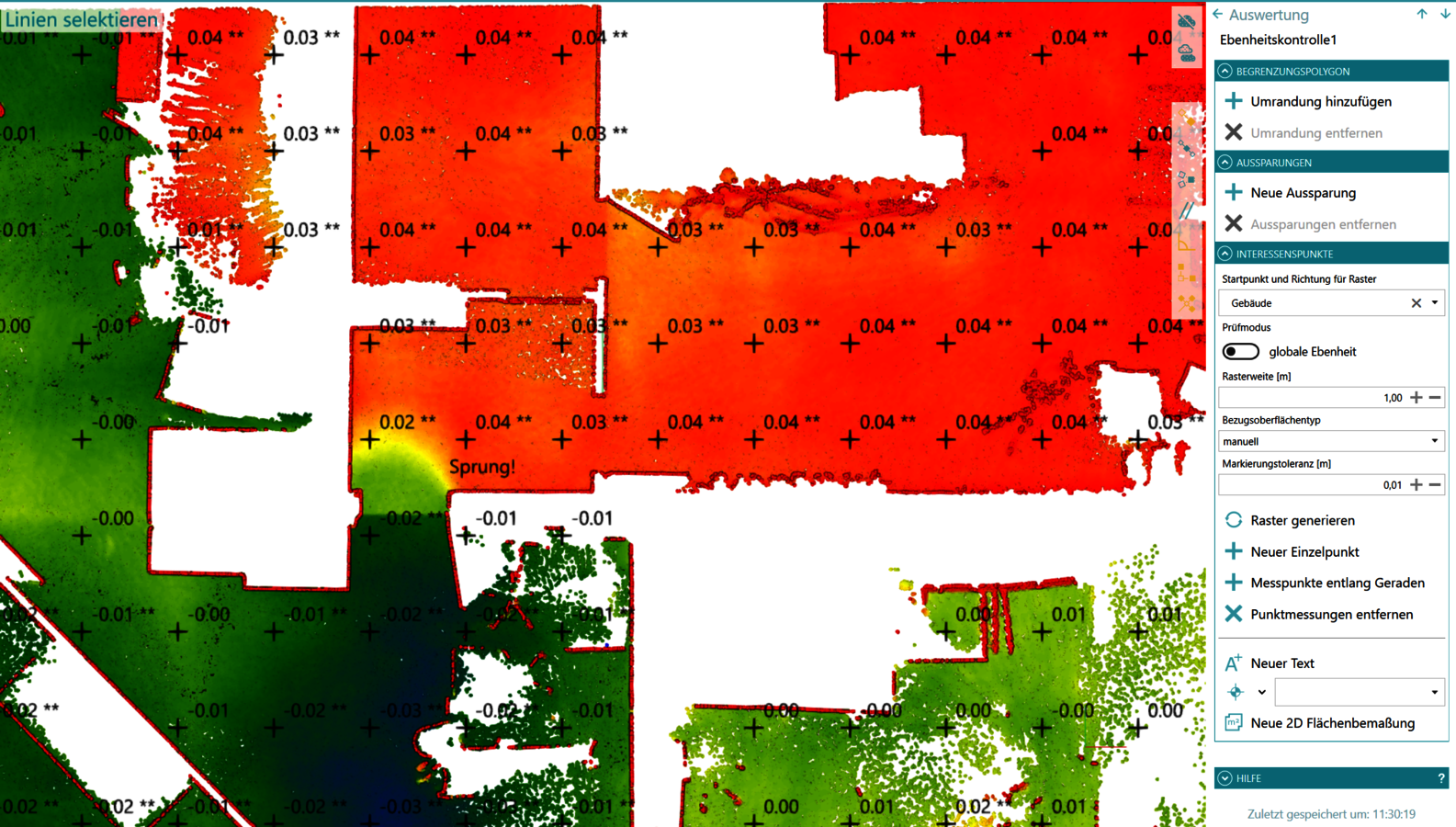
The relevant technical committees are currently discussing the expansion of the standard for flatness inspections to include laser scanning as a measurement method. In light of this, the point cloud analysis module has been updated so that flatness checks can now be performed separately in the X and Y directions. In addition, it is possible to select both the origin and the direction of the evaluation grid based on an existing axis. The selected axis is projected onto the current plane to determine the starting point and the orientation of the grid. Furthermore, the new version allows free text to be added as supplementary documentation.
New: Manual modeling of steel beams in the 2D view
In addition to the automated 3D functionality, rmDATA Reality3D now supports the manual creation of steel beams with different profiles (I, U, and L profiles) directly in the 2D view or via a design plane. This allows standardized steel beams to be reliably modeled even when they are only partially or indistinctly visible in the point cloud. The profile selection is performed interactively based on the integrated profile catalog and enables reliable modeling even in challenging existing structures.
New: Enhanced design options for piping and ventilation systems in Revit
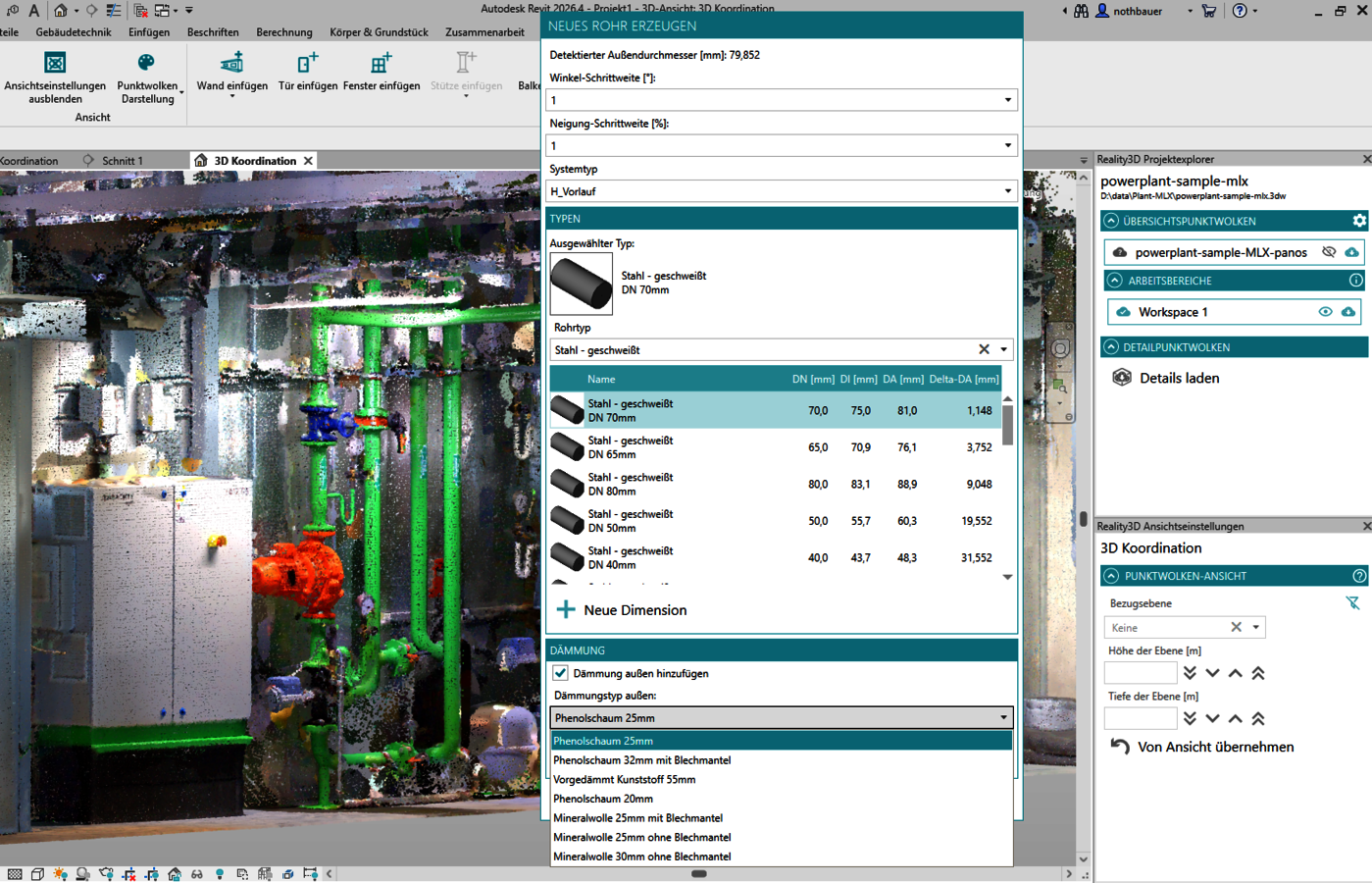
Piping design has been expanded to include additional convenience and quality features. When selecting from the catalog in Revit, you can now optionally define an insulation thickness, which the system automatically applies to the pipe and saves for the next selection. In addition, the selection dialog now supports an adjustable rounding option for the slope. Enabled rounding (e.g., 0.5° or 1°) neatly aligns pipes and ducts before insertion and ensures consistent or precisely vertical or horizontal routing.
New: Duplicating workflows with all content
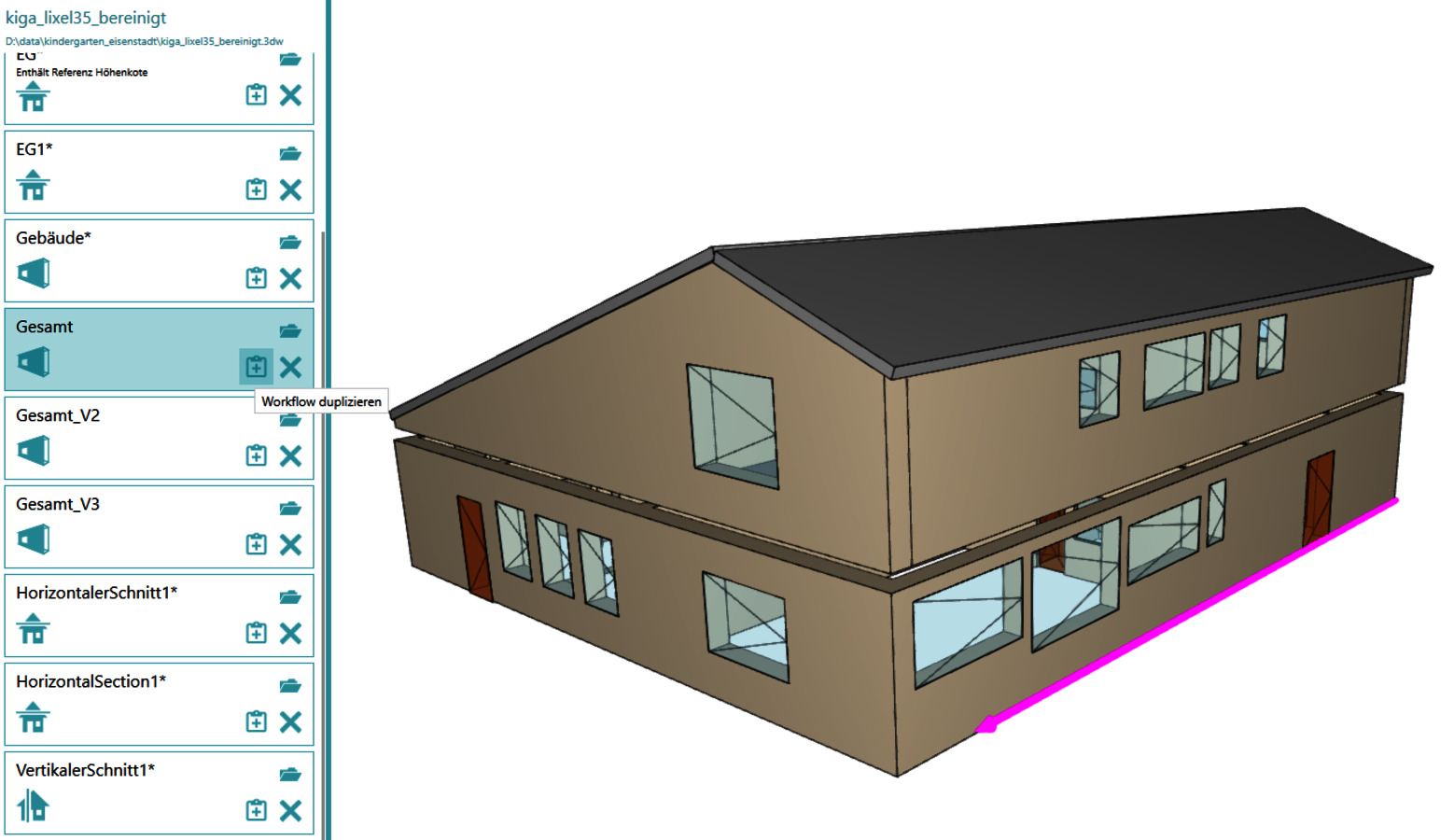
Reality3D enables the targeted saving and reuse of workflow intermediate stages. Building workflows can now be duplicated directly in the Project Explorer and used as a basis for subsequent workflows. The newly created workflow adopts the complete content of the original, opens immediately for further editing, and is automatically assigned a sequentially incremented name that can be directly customized as needed.
Improvements to rmDATA Reality3D (3DWorx) in version 2026.2
- Revit plugin: The rmDATA Reality3D Revit plugin supports the new version, Revit 2027
- Point cloud display: The new keyboard shortcuts ALT-1 and ALT-^ simultaneously turn all point clouds or the corresponding viewpoints on or off in every view with a single keystroke. This improves clarity and speeds up work, especially during modeling, as it allows you to switch specifically between different display options.
- Points can be color-coded based on the local surface normals in the surrounding point cloud. This greatly improves orientation, especially for measurements without color or intensity information.
- BIM Modeling: A new function is available for splitting detected beams. This allows continuous beams to be segmented at defined points or areas—ideal for locations with visible butt joints or structural interruptions.
Slabs can now be edited directly in the 2D view (or using a construction plane). This applies to both the slabs themselves and their openings. For example, this greatly simplifies the precise alignment of a landing with the surrounding walls. - The system now directly intersects walls with sloped boundary planes with roof surfaces. The intersection follows the same rules and produces the same results as with straight walls.
- Reality3D simplifies the intersection of slabs. Multiple slabs can now be cleanly connected directly to one another, resulting in closed models—for example, when intersecting roof surfaces. This saves rework and ensures a consistent design result.
BIM Modeling: The various commands for creating beams and columns have been consolidated in the user interface. This saves space and improves clarity during editing. - Point Cloud Analysis: This post-processing step supports the targeted insertion of individual measurement points. The function displays a preview of the numerical deviation value even before insertion. This allows numerical values to be output and documented at specific locations.