
Automatic detection and editing of steel beams, management of steel profiles, and global registration for point clouds based on CAD data are just some of the highlights of the current release.
With version 2026.1, the Reality3D Revit plugin receives a comprehensive extension for working with steel beams. This allows steel beams derived from point clouds to be inserted directly into Revit – including automatic profile assignment and configurable family management.
Even better processing of steel beams
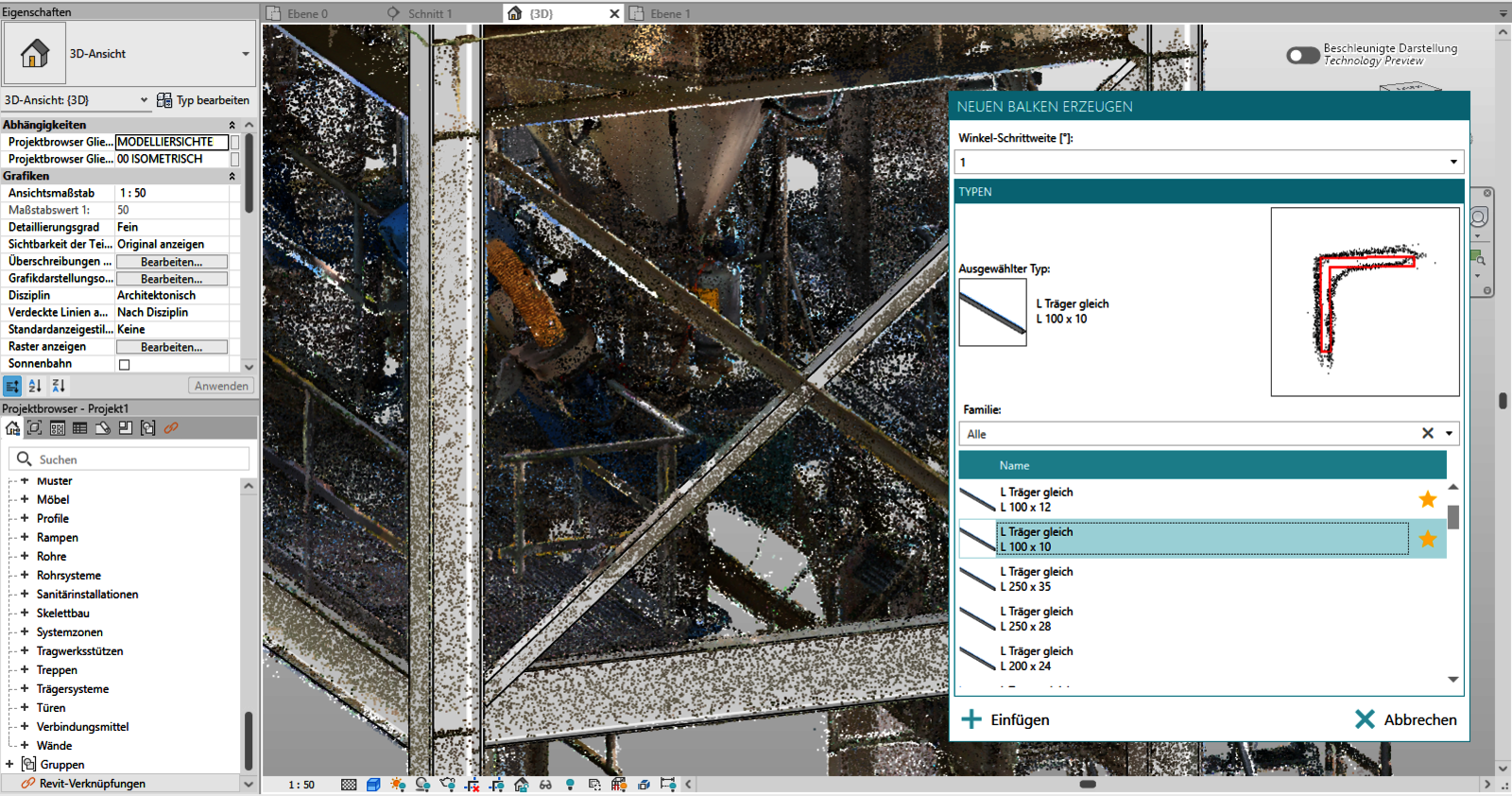
With the new function, the user clicks on the desired beam directly in the 3D graphic – similar to pipe searching. After defining the profile, the beam is extracted and geometrically optimized to the point cloud. This enables seamless, BIM-compliant modeling of steel structures from dense point clouds.
New: Detection of round and rectangular ventilation ducts in Revit
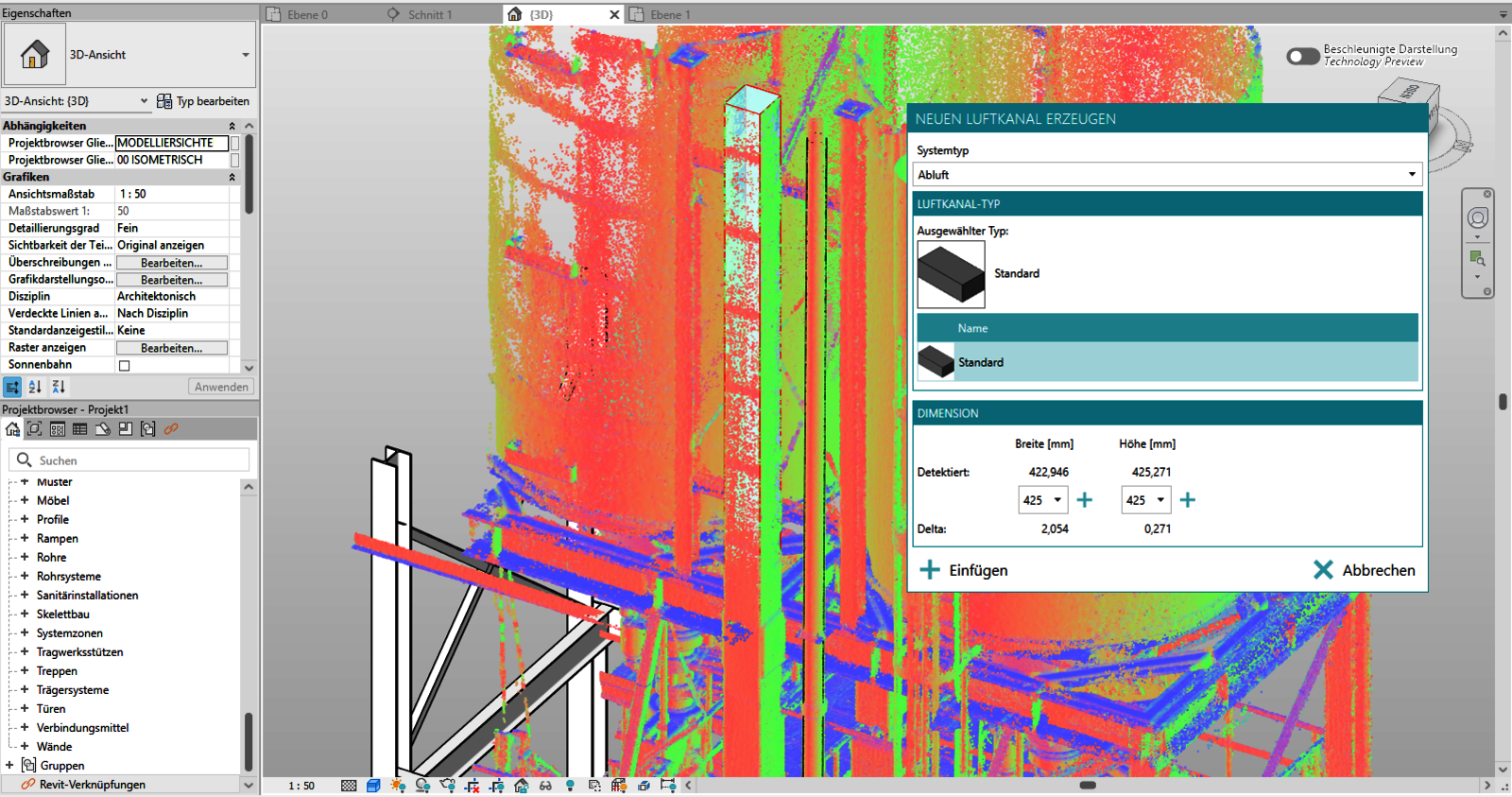
With version 2026.1, the Revit plugin expands the modeling possibilities for building services systems to include round and rectangular ventilation ducts. A new command allows the insertion of ventilation ducts, similar to the familiar pipe search: After automatic detection of the geometry, suitable types from the Revit families are provided for selection in the subsequent selection dialog.
New: Derivation and Editing of U and L Steel Profiles from the Point Cloud
Version 2026.1 expands automatic beam recognition to include additional important profile groups. In addition to the already supported H and I profiles, U and L steel beams can now be derived directly from the point cloud and fully modeled. The newly recognized beams can be edited, segmented, and aligned as usual and are exported as part of the IFC model. Furthermore, the new profile series are also available in the Revit plugin. Beams derived from the point cloud can be inserted there, assigned to appropriate Revit families, and further processed as standard Revit objects.
New: Create, edit, and export room stamps
With the new version, users can now create, visualize, edit, and export room stamps directly in 3DWorx. A new command is available for this purpose, allowing users to construct closed outlines in the 2D view and then enter room attributes such as name, flooring, and elevation. The area value is automatically calculated and written to the DWG file as a block insert, including a polyline, along with the attributes. A CSV file containing all relevant attributes is also automatically generated. This significantly improves the efficiency of deriving room information from point clouds and greatly simplifies the transfer of data to CAD and analysis processes.
New: Export of Area Measurements Including Labels
Starting with version 2026.1, area measurements can now be conveniently exported to a CSV file. This provides the same options that users are already familiar with from exporting point measurements – supplemented by area-specific information. The recorded areas are therefore easier to use for analysis or as a basis for room data sheets.
Improvements for rmDATA Reality3D (3DWorx) version 2026.1
• BIM Modeling: A new function for splitting detected beams is available. This allows continuous beams to be segmented at defined points or areas – ideal for locations with visible joints or structural breaks.
• BIM Modeling: The edge profiles of segmented beams can now be edited flexibly. This enables significantly more precise modeling, even in areas where the point cloud does not provide automatic geometry.
• Measurement: The acquisition of point measurements has been further improved: Users can now directly label placed points to clearly document their meaning or purpose.
• Measurement: Each measurement is now recorded as a separate step and can be individually undone or redoed (Undo / Redo)