
Bielefeld University pursues an interdisciplinary and practice-oriented approach to teaching. In the "Integral Building" Master's degree course, students learn to plan complex construction projects holistically - with a focus on sustainability and technical innovation. Andreas Nobbe and Christian Lange, lecturers in surveying, use the rmDATA 3DWorx software (new: rmDATA Reality3D) and the associated Revit plugin to teach digital as-built surveys in a realistic way.
From laser scan to CAD drawing - a continuous workflow
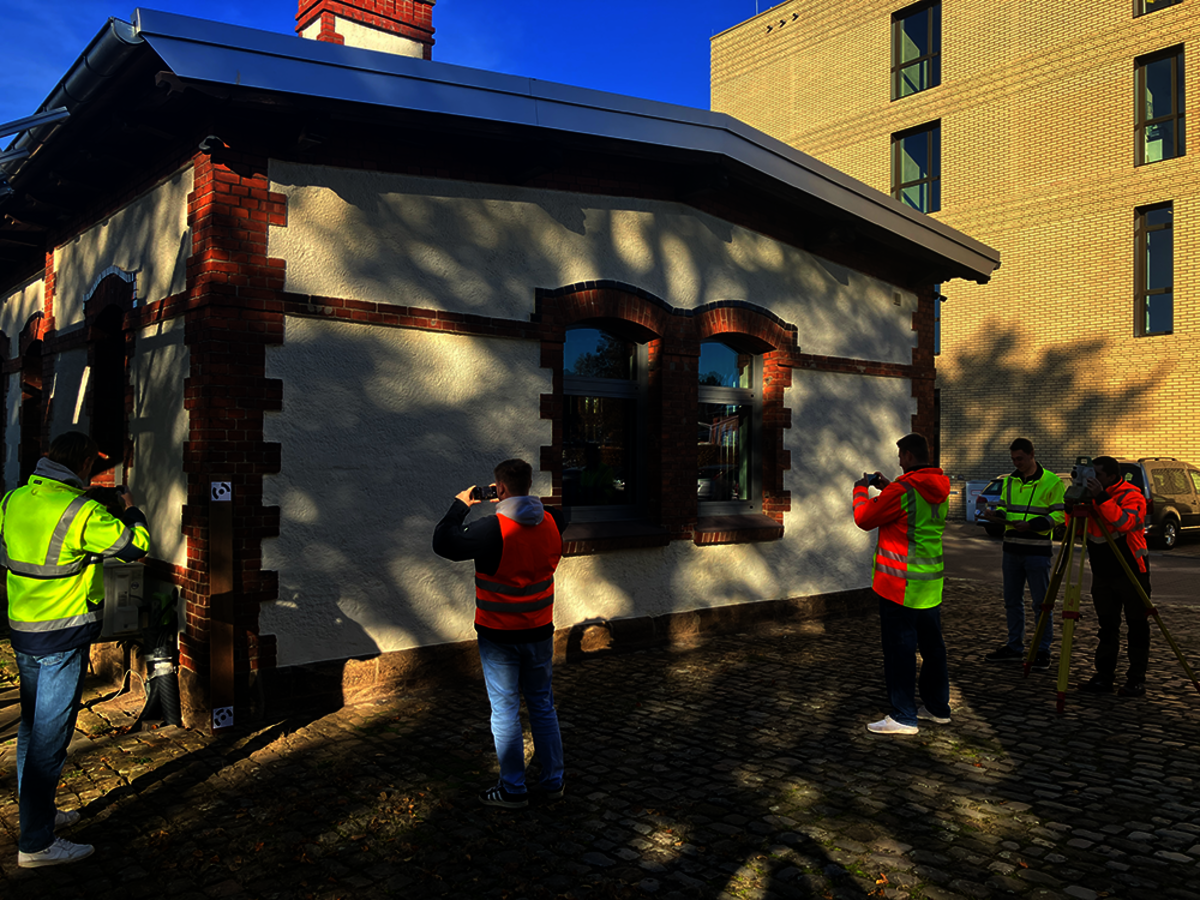
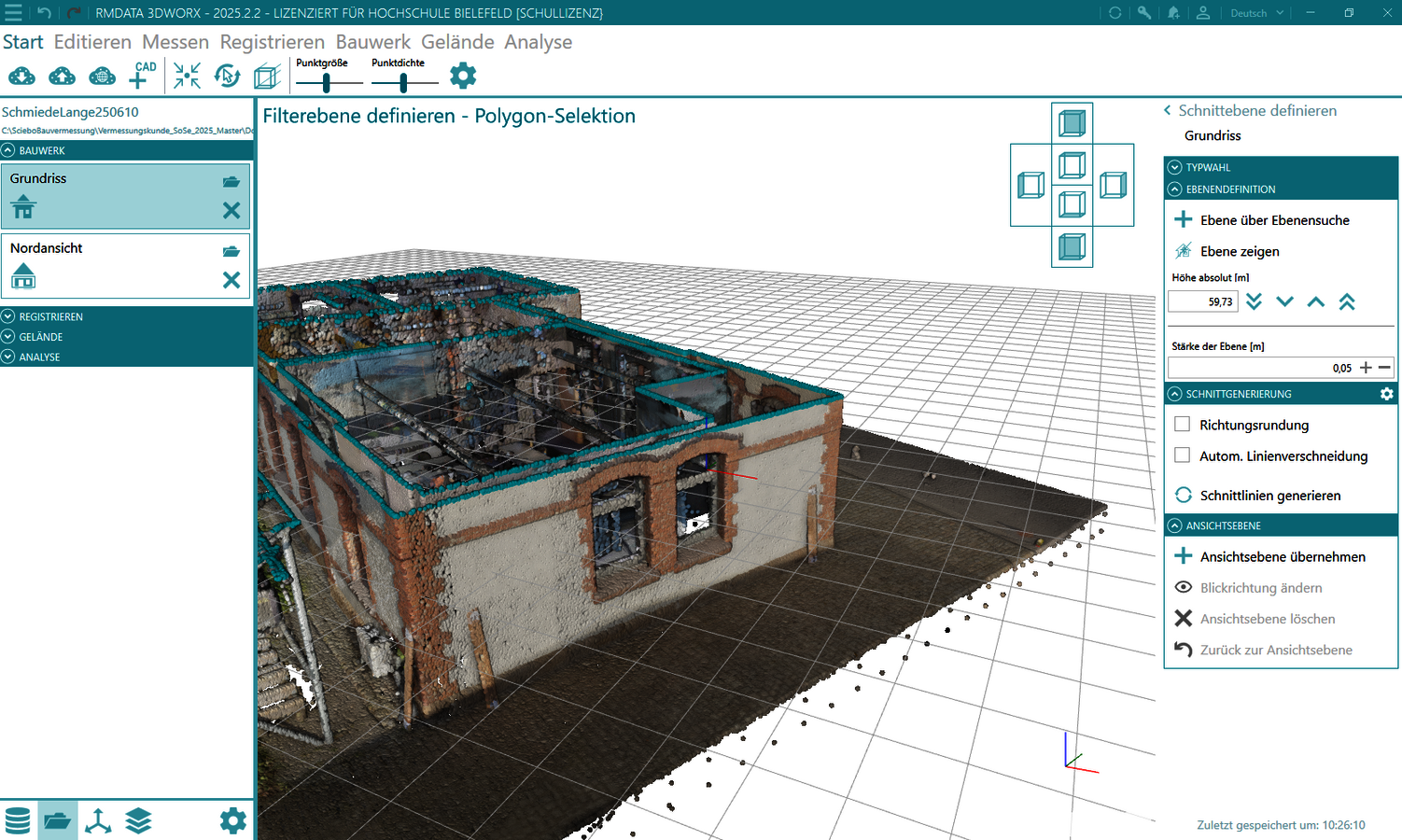
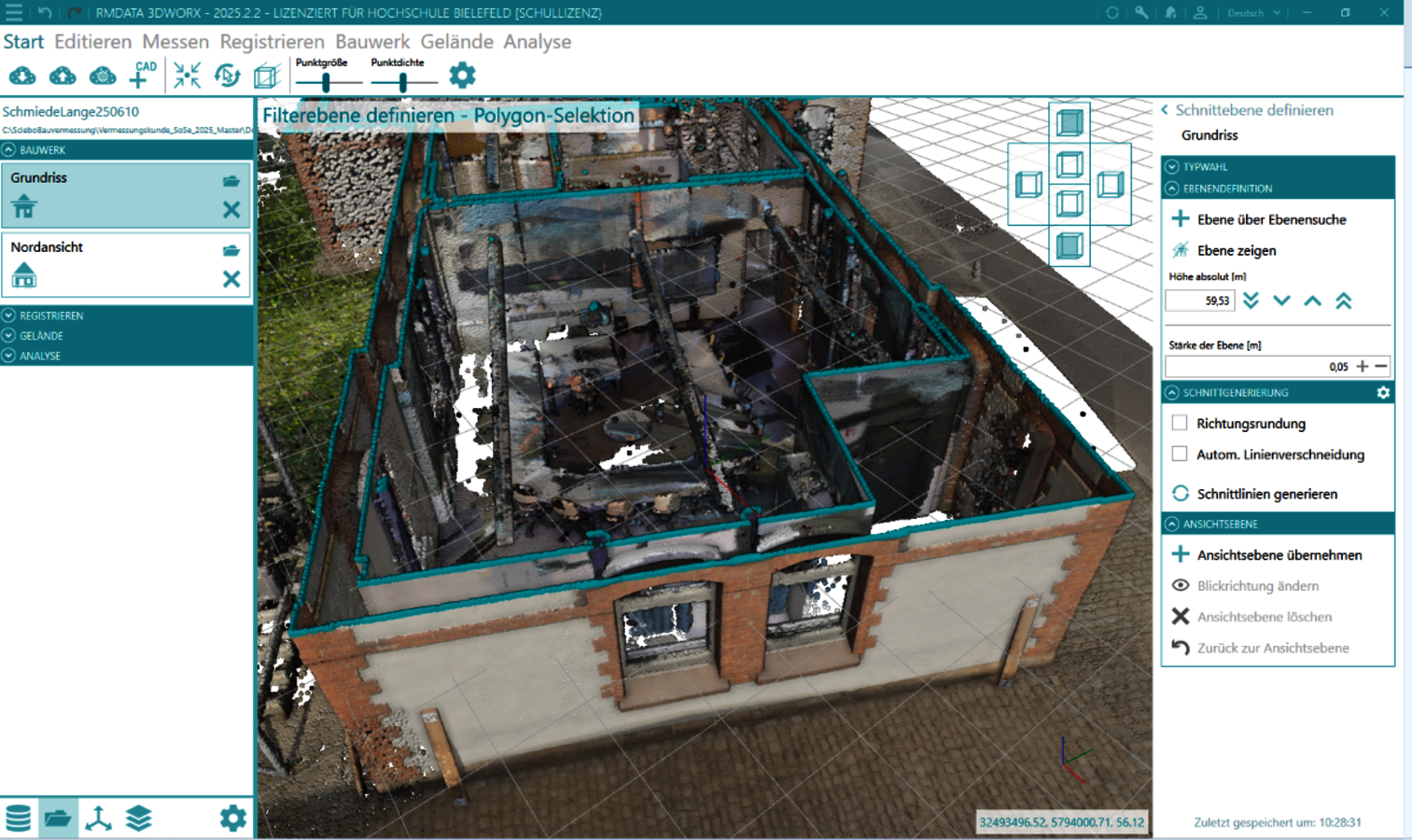
A historical building on the Minden campus is being surveyed as part of a course. The students use laser scanners for the interior and their own smartphones for the exterior view. These are georeferenced and evaluated photogrammetrically. This creates a point cloud that is processed further in rmDATA 3DWorx - right through to the finished 3D CAD model.
Christian Lange explains:
"rmDATA 3DWorx is ideal for teaching because the software is very intuitive and the workflows - especially for BIM - are designed to be very simple."
rmDATA 3DWorx and Revit plugin - a strong duo
The university uses rmDATA 3DWorx in combination with the Revit plugin. This allows point clouds to be imported directly into Autodesk Revit. There, the data can be processed efficiently - including visibility control, display filters and automatic generation of building elements such as walls, doors and windows.
Christian Lange is particularly impressed by one feature:
"I'm actually most excited about the automatic recognition of layers. I try to convey this added value to the students, who will benefit from this automation later in their professional lives."
Efficient workflow, enthusiastic students
The students experience a consistent, practical workflow - from the image to the finished model. The intuitive operation of the software and the automation of many steps make learning easier and promote an understanding of modern BIM processes. The teaching content becomes tangible and directly applicable. The aim is to prepare students even better for the requirements of digital construction planning and to teach them about new technologies at an early stage.
rmDATA as the key to practical teaching
The collaboration with rmDATA is rated as extremely positive by Bielefeld University. The software optimally supports the teaching objectives and inspires both teachers and students. Christian Lange summarizes: "The intuitive operation and well thought-out workflows make rmDATA 3DWorx an ideal tool for teaching. I can recommend the solution."
Would you also like to use rmDATA 3DWorx in teaching?
Contact us, we will be happy to inform you without obligation.
Images/screenshots on the left: A historic building on the Minden campus is being measured as part of a surveying course for the "Integral Building" master's degree at HSBI. The students use laser scanners for the interior and their own smartphones for the exterior view. These are georeferenced and evaluated photogrammetrically © C. Lange/Bielefeld University of Applied Sciences